


What is Largest Contentful Paint (LCP)?
Largest Contentful Paint (LCP) is a Core Web Vital that measures how long the largest image, video poster or block of text in the viewport takes to appear after a visitor starts loading the page. Google treats an LCP of 2.5 seconds or less as good, 2.5 to 4 seconds as needing improvement and more than 4 seconds as poor, judged at the 75th percentile of real visits.
LCP at a glance
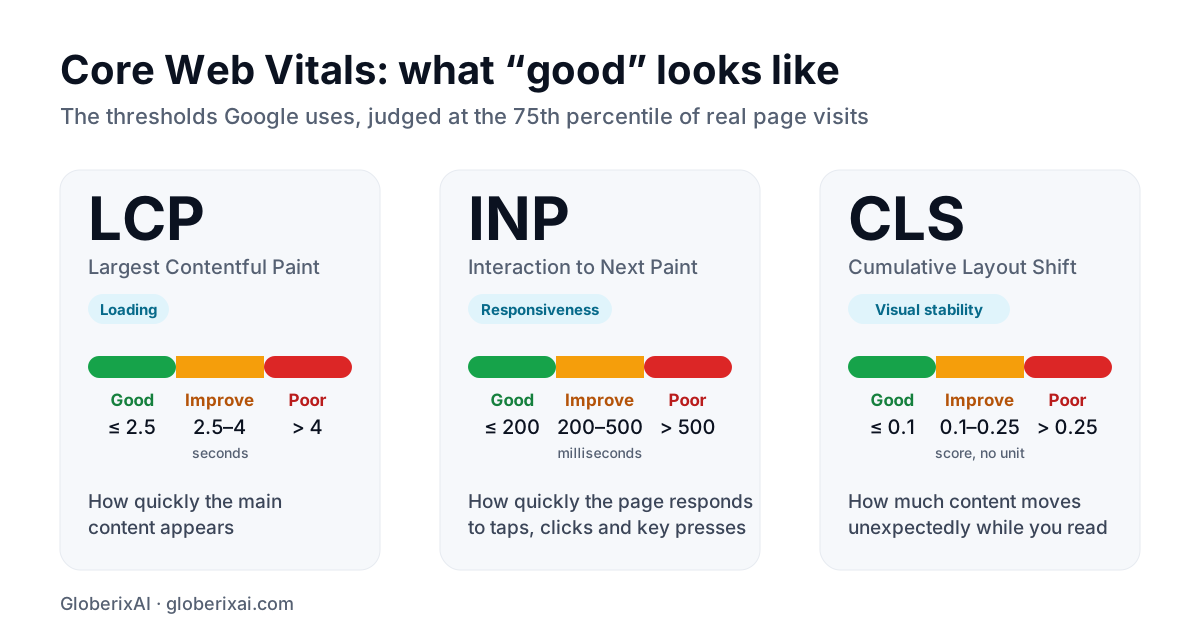
| LCP time | Rating |
|---|---|
| 2.5 seconds or less | Good |
| 2.5 to 4 seconds | Needs improvement |
| More than 4 seconds | Poor |
What counts as the LCP element
The LCP element is usually the hero image, a large heading or paragraph, or a video poster image. It can also be a background image set in CSS. The browser reports the largest element that is visible in the viewport, and it can change while the page loads.
The four parts of LCP
- Time to first byte: how long the server takes to start sending the page.
- Resource load delay: how long before the browser starts loading the LCP image or font.
- Resource load duration: how long that resource takes to download.
- Element render delay: how long after loading before the element is actually painted.
Key takeaway: Find which of the four parts is largest before you change anything. It tells you where the time is going.
How to improve LCP
- Speed up the server response with caching, a CDN and static or server-side rendering.
- Make the browser discover the hero image early: put it in the HTML, preload it and give it high fetch priority.
- Never lazy-load the LCP image. Lazy-load images below the fold instead.
- Serve the right size in a modern format such as WebP or AVIF, compressed sensibly.
- Remove or defer render-blocking CSS and JavaScript so the element can paint.
- Avoid rendering the main content only after client-side JavaScript runs.
- Keep web font loading light, so heading text is not held back.
LCP in React and Next.js
Prefer server-rendered or statically generated pages so the main content is already in the HTML. Mark the hero image as a priority image so it is preloaded, give it explicit dimensions and avoid hiding it behind a client-side carousel that has to hydrate first.
How to measure LCP
- PageSpeed Insights and Search Console show field data from real visitors.
- Chrome DevTools shows which element is the LCP element and breaks the time into its parts.
- The web-vitals JavaScript library can report LCP and its element from your own visitors.
Keep going
See the full Core Web Vitals guide, then learn how to fix CLS and INP. If you want a faster site, talk to our web development team.
Frequently asked questions
What is a good LCP time?
2.5 seconds or less at the 75th percentile of real visits. More than 4 seconds is poor.
What is the LCP element on my page?
Usually the hero image or the largest heading or paragraph in the first screen. Chrome DevTools and PageSpeed Insights show it for your page.
Should I lazy-load my hero image?
No. Lazy-loading delays the image, which is often the LCP element. Load it early and lazy-load images further down the page.
Why is LCP worse on mobile?
Phones have slower processors and networks, so downloads and rendering take longer. Test on a mid-range phone, not only on a fast laptop.